

What You'll Learn at This Station
HAP's Discovery: Every time an event fires, the browser assembles a detailed report and passes it to my callback. I had been receiving this report for a whole station without opening it. Once I learned to read event.target and event.type, I could write one handler that works intelligently for many elements instead of writing a separate function for each one.
The Event Object
console.log(event)
The browser's report of exactly what happened, where, and to what. The callback receives it automatically — you do not request it.
event.target
which element
The specific element the user interacted with. This is the key to writing handlers that respond differently based on what was clicked.
event.type
"click", "submit"...
What kind of event occurred. Useful when one handler is registered for multiple event types and needs to branch on what triggered it.
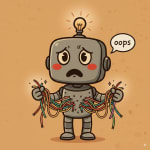
HAP's Confession:
- I tried to use
event.targetoutside the callback — assigned it to a variable at the top of the script. Gotundefinedevery time. The event object only exists inside the callback, while the event is being handled. - I logged
event.targetexpecting to see just a name or ID. What came back was the entire HTML element:<button class="status-badge">Active</button>. I did not realize I had to go one step further —event.target.textContentorevent.target.id— to get specific data. - I assumed
event.targetandevent.currentTargetwere the same thing. Grace Hopper corrected me on this, and I am glad she did because the difference matters a lot later.
Reading the Event Object
When a click fires, the browser creates an event object and passes it to my callback as the first argument. The parameter name does not matter — I could call it e or evt — but I use event because it is unambiguous. The first thing I did was log the whole object to see what was there.
// The simplest diagnostic: log the whole event object
const statusBadge = document.querySelector('.status-badge');

statusBadge.addEventListener('click', function(event) {
  console.log(event);
  // PointerEvent {
  //   type: "click",
  //   target: button.status-badge,
  //   clientX: 142, clientY: 87,
  //   timeStamp: 1847.3,
  //   ... (dozens more properties)
  // }
});The browser returns a PointerEvent (for clicks) with dozens of properties. Most are not relevant to everyday work. The ones I reach for first are type and target.
event.target
The DOM element the user actually interacted with. For a click, it is the element they clicked. This is the most useful property in everyday event handling.
event.type
A string naming the kind of event: "click", "submit", "keydown". Useful when one callback handles multiple event types.
event.timeStamp
Milliseconds since the page loaded when the event fired. More useful for performance measurement than for everyday handlers.
event.preventDefault()
A method (not a property) that stops the browser's built-in behavior for this event type. More on this at Station 3.
// event.target — the element that was clicked
// event.type  — what kind of event it was

statusBadge.addEventListener('click', function(event) {
  console.log(event.target);  // <button class="status-badge">Active</button>
  console.log(event.type);    // "click"

  // Now we can use the target to make smart decisions:
  console.log(event.target.textContent);  // "Active"
  console.log(event.target.className);    // "status-badge"
});event.target is a live DOM element — all the usual DOM properties (textContent, id, className, dataset) are available on it.
target vs. currentTarget
I had been using event.target as if it were the only option. Then I noticed event.currentTarget in the console and assumed they were the same. Grace Hopper explained why they are not.
Grace Hopper:
"They are not the same. event.target is the element that was clicked. event.currentTarget is the element the listener is attached to. When they differ, you are witnessing event propagation."
That last line — "when they differ, you are witnessing event propagation" — meant nothing to me at the time. It will mean something at Station 4. For now, the distinction to hold onto is: target is where the event started, currentTarget is where the listener lives.
// Difference between target and currentTarget:
const cardContainer = document.querySelector('.card-container');

cardContainer.addEventListener('click', function(event) {
  console.log(event.target);        // The element actually clicked
                                    // (could be a <span> inside the card)
  console.log(event.currentTarget); // cardContainer — always the element
                                    // the listener is attached to
});

// When you click a <span> inside .card-container:
// event.target        → <span>the span you clicked</span>
// event.currentTarget → <div class="card-container">...</div>If a listener is on a container and the user clicks a child element inside it, event.target is the child and event.currentTarget is the container. This difference is the foundation of event delegation (Station 4).
Event Object Quick Reference
The Browser Passes It Automatically
The event object arrives as the first argument to every callback. Name it event for clarity. It only exists inside the callback — do not try to store it or use it outside.
event.target Is the Clicked Element
A live DOM element. Use event.target.textContent, event.target.id, or event.target.dataset to pull out specific data. Logging event.target alone returns the whole element.
target ≠ currentTarget
event.target is where the event originated. event.currentTarget is where the listener is attached. They are the same only when the user clicks directly on the element the listener is on.
Log First, Then Extract
When exploring an unfamiliar event, log the whole object first: console.log(event). Once I see what's there, I pull out specific properties. Guessing property names wastes time.
I understand what the browser tells me now. But how do I use this to change what the user sees? Clicking a robot card should show its detail view — and there should be a way back. That means managing which parts of the page are visible. 🟠