

What You'll Learn at This Station
HAP's Discovery: Each pattern from Stations 1 through 4 is useful on its own. But real apps need all of them working together. At this station, I built a complete mini robot card app — card list, detail view, back navigation, a notes form, and dynamic card creation. The goal was not to learn anything new but to prove to myself that everything I already knew fit together cleanly.
Initialization Order
DOMContentLoaded
Every event listener must be wired after its target element exists in the DOM. Wrapping setup code in DOMContentLoaded ensures the HTML is parsed before any querySelector runs.
Patterns Compose
4 patterns, 1 app
Delegation handles the card list. View switching handles navigation. preventDefault handles both forms. Each piece uses the same addEventListener foundation from Station 1.
Consistent Structure
Predictable HTML
Delegation only works if dynamically created cards have the same structure as static ones. I learned to build new elements with the same classes and data attributes that the listeners expect.
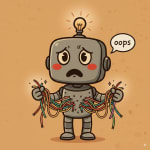
HAP's Confession:
- I wired all my event listeners before
DOMContentLoaded. EveryquerySelectorreturnednull. EveryaddEventListenercall threw an error. The fix was moving setup code inside aDOMContentLoadedhandler, but it took me twenty minutes of staring at the errors to figure that out. - I passed my handler functions with parentheses by accident —
addEventListener('click', handleCardClick()). The function ran immediately on page load instead of on click. The detail view opened the moment the page finished loading, which was very confusing until I remembered the parentheses rule from Station 1.
Card List with Delegation
The card container gets one delegated listener. When any card is clicked, the listener uses .closest() to identify which card was clicked, reads its data, and populates the detail view. This is the Station 4 pattern in context.
// The card container handles clicks on all cards — current and future.
const cardContainer = document.querySelector('.card-container');
const detailView = document.querySelector('.detail-view');
const listView = document.querySelector('.list-view');

cardContainer.addEventListener('click', function(event) {
  const card = event.target.closest('.robot-card');
  if (!card) return;

  // Read data from the card element
  const robotId = card.dataset.robotId;
  const robotName = card.querySelector('.robot-name').textContent;
  const robotStatus = card.querySelector('.robot-status').textContent;

  // Populate the detail view
  document.querySelector('.detail-name').textContent = robotName;
  document.querySelector('.detail-status').textContent = robotStatus;
  document.querySelector('.detail-id').textContent = robotId;

  // Switch views (Station 3 pattern)
  listView.classList.add('hidden');
  detailView.classList.remove('hidden');
});The dataset.robotId attribute on each card gives me a way to identify which card was clicked without parsing text content. I set this attribute when building each card element.
View Switching and Back Button
Two views live in the HTML simultaneously. The card list delegates clicks to show the detail view. The back button reverses the switch. This is the Station 3 pattern — the same one I built when I first learned classList toggling.
// The back button reverses the view switch
const backButton = document.querySelector('.back-button');

backButton.addEventListener('click', function(event) {
  detailView.classList.add('hidden');
  listView.classList.remove('hidden');
});

// CSS handles visibility — JS only toggles the class
// .hidden { display: none; }
//
// Two views exist in the HTML at all times.
// The 'hidden' class controls which one is visible.The hidden class does the work in CSS. JavaScript only decides which element has it. Keeping the display logic in CSS and the state logic in JS made both easier to debug.
Notes Form with preventDefault
The detail view has a notes form. Submitting it adds a note to a list below the form without any page reload. This is the Station 3 form pattern, now nested inside a view that is itself managed by a delegated listener.
// The notes form saves without a page reload
const notesForm = document.querySelector('.notes-form');
const notesList = document.querySelector('.notes-list');

notesForm.addEventListener('submit', function(event) {
  event.preventDefault(); // Stop the page from reloading

  const noteInput = notesForm.querySelector('.note-input');
  const noteText = noteInput.value.trim();

  if (!noteText) return; // Ignore empty submissions

  // Build a new list item and add it to the notes list
  const li = document.createElement('li');
  li.textContent = noteText;
  notesList.appendChild(li);

  // Clear the input
  noteInput.value = '';
  noteInput.focus();
});After appending the new list item, I clear the input and call .focus() so the user can type another note without clicking back into the field. A small detail that makes the form feel finished.
Dynamically Added Cards That Work with Delegation
The real payoff of the delegation pattern: I can add new cards at any time and they immediately respond to clicks. The container's listener was wired once and covers everything inside it — now and in the future.
// Adding a new robot card — works with delegation automatically
const addCardForm = document.querySelector('.add-card-form');

addCardForm.addEventListener('submit', function(event) {
  event.preventDefault();

  const nameInput = addCardForm.querySelector('.new-robot-name');
  const name = nameInput.value.trim();
  if (!name) return;

  // Build the card with the same structure delegation expects
  const card = document.createElement('div');
  card.classList.add('robot-card');
  card.dataset.robotId = 'unit-' + Date.now();

  const nameSpan = document.createElement('span');
  nameSpan.classList.add('robot-name');
  nameSpan.textContent = name;

  const statusSpan = document.createElement('span');
  statusSpan.classList.add('robot-status');
  statusSpan.textContent = 'Online';

  card.appendChild(nameSpan);
  card.appendChild(statusSpan);

  // Append to the container — the existing delegated listener
  // on cardContainer catches clicks on this new card immediately.
  cardContainer.appendChild(card);

  nameInput.value = '';
});The key is building the new card with exactly the same structure the delegation handler expects — the .robot-name and .robot-status spans, and the data-robot-id attribute. If the structure matches, the listener works with no extra code.
Initialization — Putting It All Together
When all four patterns live in one file, initialization order becomes important. I learned to collect all my querySelector calls and addEventListener calls in one DOMContentLoaded handler so I know exactly when they run.
// Initialization order matters — wire events after the DOM is ready

document.addEventListener('DOMContentLoaded', function() {
  // Get references to elements
  const cardContainer = document.querySelector('.card-container');
  const listView = document.querySelector('.list-view');
  const detailView = document.querySelector('.detail-view');
  const backButton = document.querySelector('.back-button');
  const notesForm = document.querySelector('.notes-form');
  const notesList = document.querySelector('.notes-list');
  const addCardForm = document.querySelector('.add-card-form');

  // Wire delegation on the card container
  cardContainer.addEventListener('click', handleCardClick);

  // Wire back button
  backButton.addEventListener('click', handleBack);

  // Wire notes form
  notesForm.addEventListener('submit', handleNoteSubmit);

  // Wire add card form
  addCardForm.addEventListener('submit', handleAddCard);

  // All handler functions are defined below...
});

// My mistake: I once called the script before DOMContentLoaded
// and querySelector returned null. Every addEventListener call
// threw "Cannot read properties of null". Wrapping everything
// in DOMContentLoaded fixed it.Naming all handlers as separate functions instead of writing anonymous functions inline makes this initialization block easy to scan. The DOMContentLoaded block reads like a table of contents — I can see at a glance what the app responds to.
Mini SPA Assembly Quick Reference
Wire Events After DOMContentLoaded
Wrap all querySelector calls and addEventListener calls in a DOMContentLoaded handler. If the element does not exist yet, querySelector returns null and every listener call throws an error.
Pass Functions, Not Calls
addEventListener('click', handleCardClick) — no parentheses. Adding () calls the function immediately on page load. This mistake is subtle because no error is thrown — the handler fires once and never again.
Keep Dynamically Created Elements Consistent
When building elements with createElement, give them the same classes and data attributes that existing listeners expect. Delegation has no way to handle a card that is structured differently from the rest.
One Pattern at a Time
When something breaks in a multi-pattern app, I isolate which pattern is misbehaving. Is the event firing at all? Is the wrong element being targeted? Is the view toggle not running? Each pattern has its own failure mode.

HAP's Victory:
I have a working interactive app — four patterns, one file, no frameworks. Every click is handled. Every form submits cleanly. New cards appear and work immediately. The page is alive. 🟠

Try It Yourself 🟠
I built a complete version of this app with all the patterns from Stations 1 through 4. Open the live demo, click some cards, add a note, and watch the console. Every event fires through delegation, every view switch uses classList, and every new element is built with createElement. No innerHTML anywhere.
Want to see how it is built? The source code is on GitHub. Be curious. Read the code. See how the patterns connect.
I built this mini app myself. But what happens when I ask an AI to help me build more? At Station 6, I find out what AI-generated event code looks like — and why knowing these patterns makes me much better at reading and trusting what it produces.